The short answer
To set up a lead pipeline in Zoho CRM, standardise the Lead Source picklist (Meta lead ad, Google Ads, WhatsApp ad, Website, Walk-in, Referral), define Lead Status steps (New, Contacted, Qualified, Not interested), connect Meta lead ads and your website form so leads arrive automatically with their source, and convert qualified leads to Deals with clear pipeline stages. Then build a view of new leads nobody has touched.
Before you start
By the end of this SOP
Every new lead lands in Zoho CRM with source and status, and qualified leads move through a clear deal pipeline.
- Time
- 60–90 minutes
- You’ll need
- A Zoho CRM account with administrator access, your Meta ad account and website form.
- Who does this
- The business owner or sales manager, with whoever manages ads and the website.
About this SOP: why it matters, where and when
Why it matters: Clean source and stage data turns ad reports into business decisions: which campaign brings customers, not just leads.
Where: Zoho CRM → Setup (gear icon), Leads and Deals modules.
When: Before running lead campaigns, or now if leads are scattered.
Stage 1
Standardise sources and statuses
- 1
Open Setup → Customization → Modules and Fields → Leads, and edit the Lead Source field.
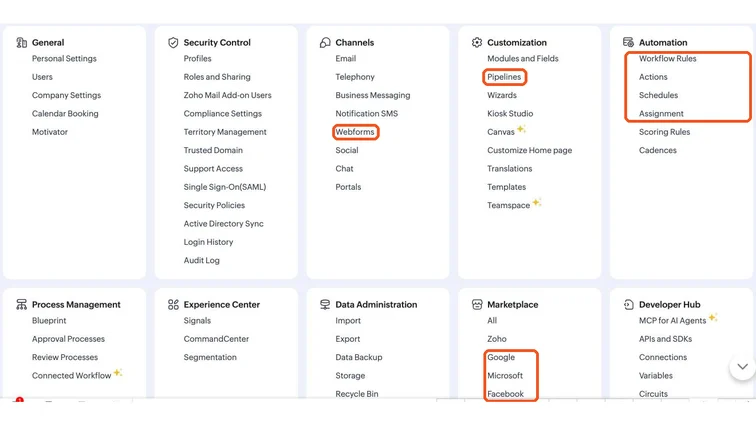
Zoho CRM Setup page: Modules and Fields, Pipelines, Webforms, Workflow Rules, Assignment and Marketplace. Real screenshot, Oct 2026. - 2
Replace the default values with your real channels: Meta lead ad, Meta WhatsApp ad, Google Ads, Website form, Google Business Profile, Walk-in, Referral, Instagram DM.
- 3
Edit Lead Status to a short list everyone understands: New, Contacted, Qualified, Not interested, Junk (wrong number, spam).
- 4
Stage 2
Bring leads in automatically
- 1
Meta lead ads: in Zoho CRM, open Setup → Marketplace → Facebook (LeadChain) and create a chain from your Page’s lead form to Zoho Leads. Map form fields to lead fields and set Lead Source = Meta lead ad.
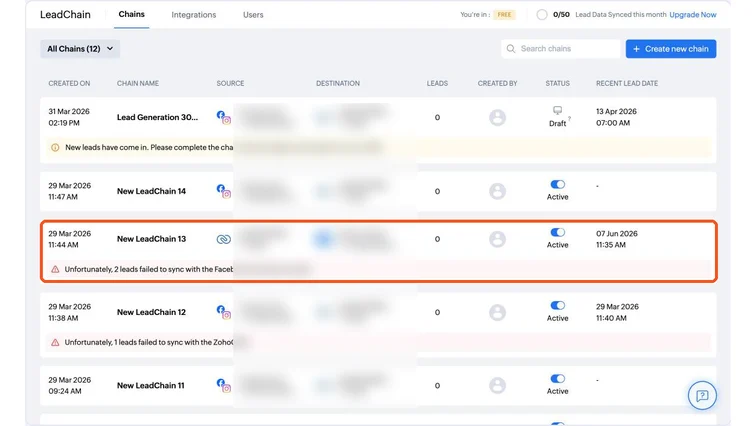
Zoho CRM LeadChain chains syncing Facebook lead forms into Zoho Leads, and Zoho back to Facebook Conversion Leads. Real screenshot, Oct 2026. - 2
Website form: use a Zoho CRM webform (Setup → Channels → Webforms) or your form plugin’s Zoho integration. Pass UTM values and GCLID into the hidden fields.
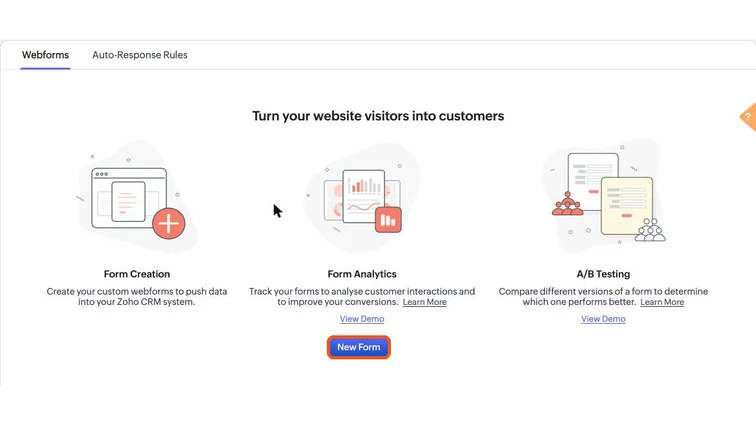
Zoho CRM Webforms page with the New Form button. Real screenshot, Oct 2026. - 3
WhatsApp and phone leads: add them manually (or through your WhatsApp Business Platform integration) with the correct source.
- 4
Submit a test lead from each channel and check source, campaign and owner are filled in.
Stage 3
Set up the deal pipeline
- 1
In Setup → Customization → Pipelines, set deal stages that match how you sell, for example: Qualified → Counselling done → Visit / demo booked → Fee shared → Won / Lost.
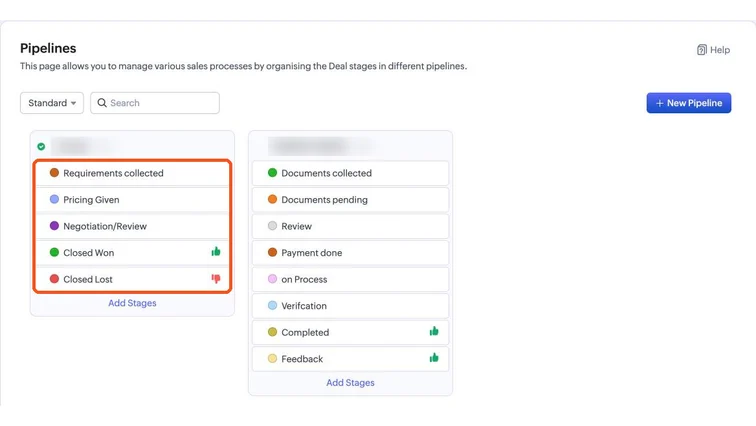
Zoho CRM Pipelines with deal stages from first contact to Closed Won and Closed Lost. Real screenshot, Oct 2026. - 2
Train the team to convert a lead to a contact and deal once it is qualified, keeping the original Lead Source.
- 3
Add a Lost reason field (price, timing, chose competitor, not reachable) to learn why deals are lost.
Stage 4
Create the views you check daily
- 1
Create a Leads view: Lead Status = New and Created time = Today. This is the “call now” list.
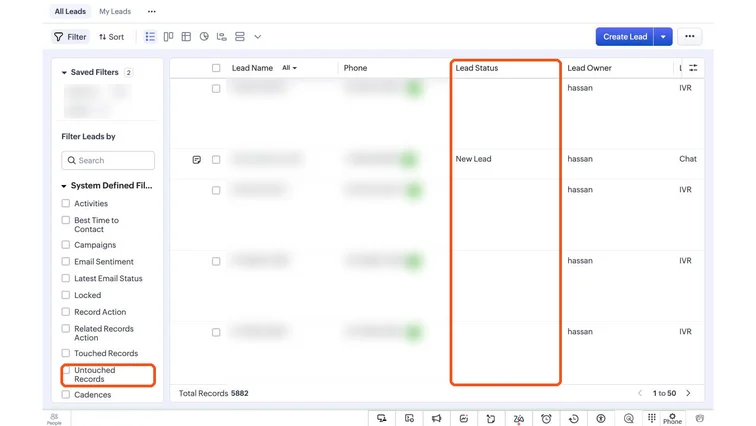
Zoho CRM Leads list with the Lead Status column and the Untouched Records filter. Real screenshot, Oct 2026. - 2
Create a view for leads with no activity in 48 hours.
- 3
Create a monthly report of leads and won deals by Lead Source and UTM campaign. Use it next to your ad reports.
Practice & check
Now do it for real
Reading is not doing. Open your own account and complete this task before you move on.
Practice task (5 min)
In a Zoho CRM trial, set up the Lead Source and Lead Status values, add UTM and GCLID hidden fields, and create the “New today” view.
Prove it
Two questions. Get both right and this SOP is done.
Common questions
Can Zoho CRM receive Facebook lead ads automatically?
Yes. Zoho CRM has a Facebook lead ads integration that creates leads from your Instant Forms, with field mapping and a fixed lead source.
Should I use Leads or Deals for ad leads?
Start every ad enquiry as a Lead. Convert it to a Contact and Deal once it is qualified, so the pipeline only shows real opportunities.
Is Zoho CRM free?
Zoho CRM has a free edition for small teams with basic features. Integrations, workflows and webforms may need a paid plan; check the current plans.
Done. That’s a real skill, not a certificate.
Next: SOP 331 — Automate Lead Assignment and Follow-up in Zoho CRM →
Want to do this on real client budgets, with a mentor checking your work? That’s Level 2 at Unlearn. See the Digital Marketing track